

Release preview
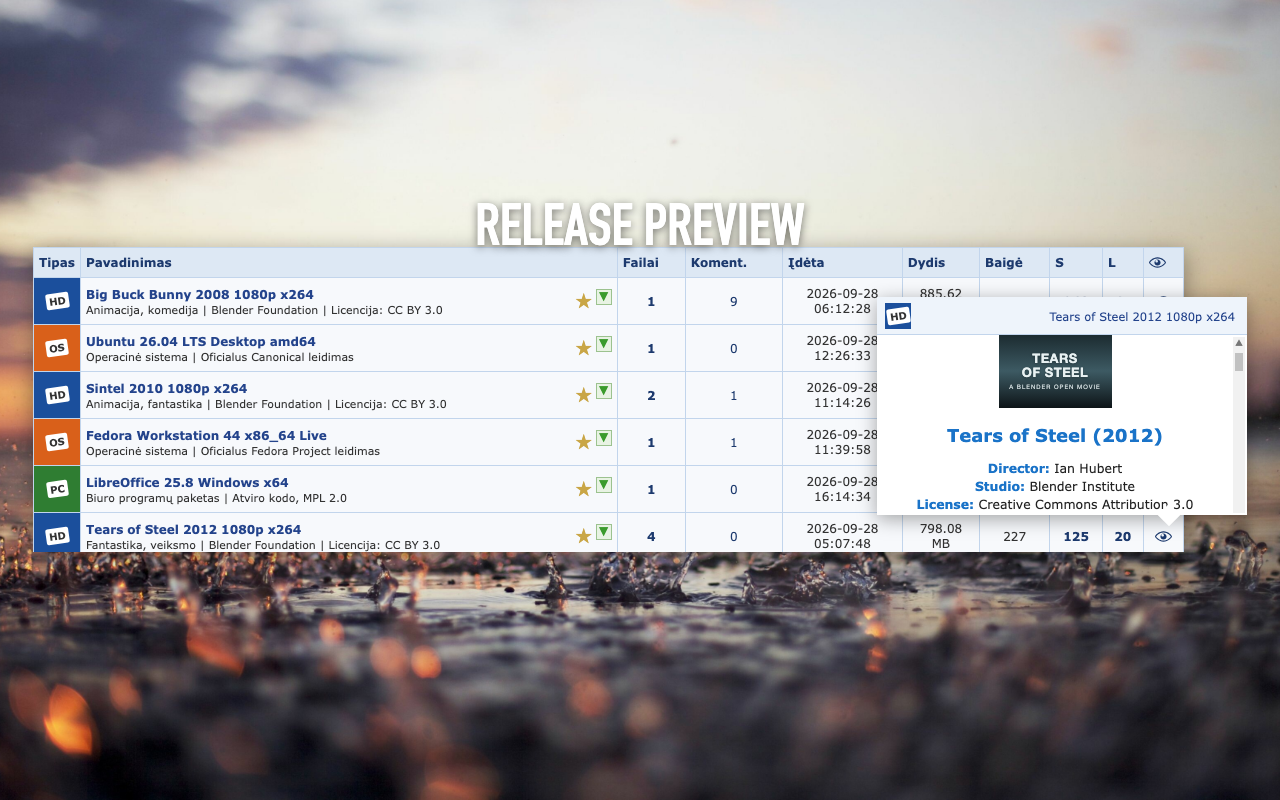
Hover the eye icon in the release list to see a release's description, poster and details in a popup, without opening its page.
Super Linkomanija is a free browser extension for Linkomanija.net. Preview releases without opening them, browse the list as a grid of posters, get notified when a release you're waiting for appears and stay logged in on all your devices. Switch each feature on or off, keep only what you use.
Version 2.1.1
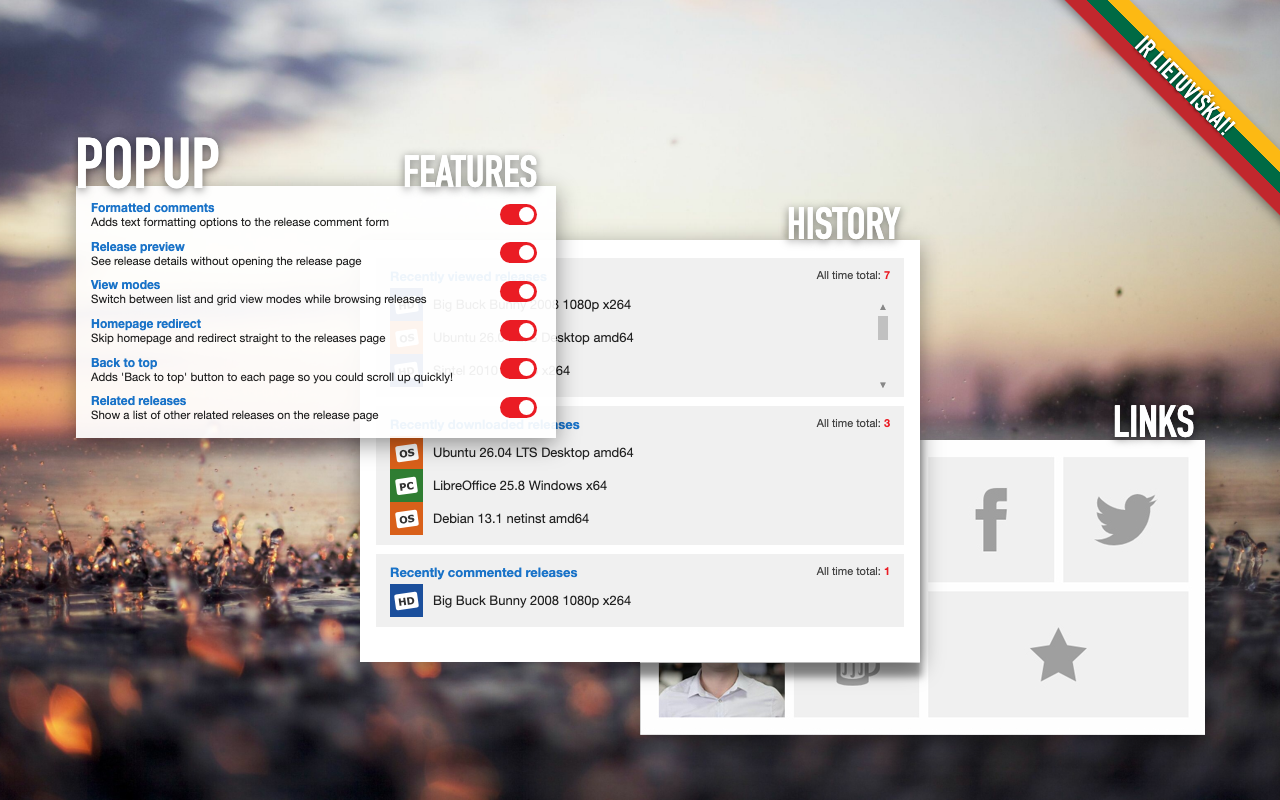
Everything works on Linkomanija's own pages, in both its light and dark themes. Every feature can be switched on or off in the extension's popup, and changes apply to open tabs straight away.
Hover the eye icon in the release list to see a release's description, poster and details in a popup, without opening its page.
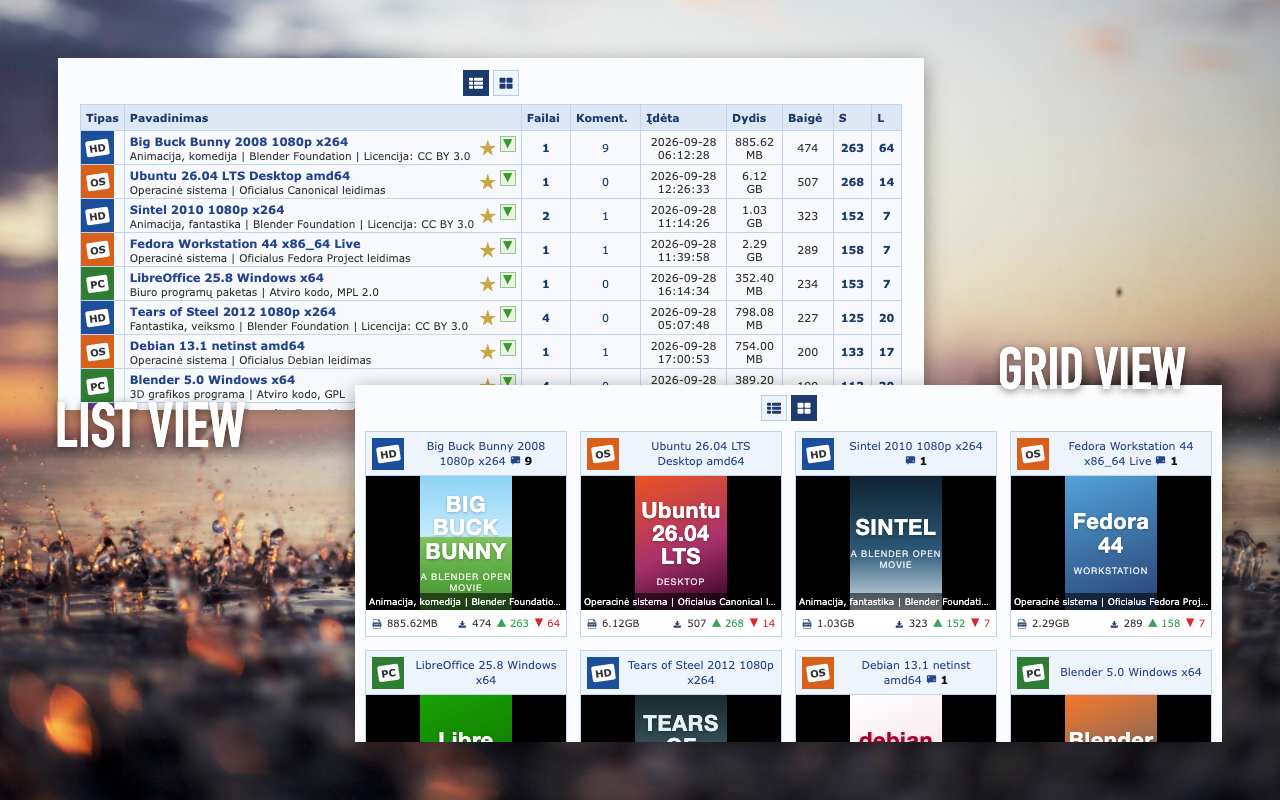
Switch the release list between the classic table and a grid of cards with posters, size, seeders and leechers. Your choice is remembered.
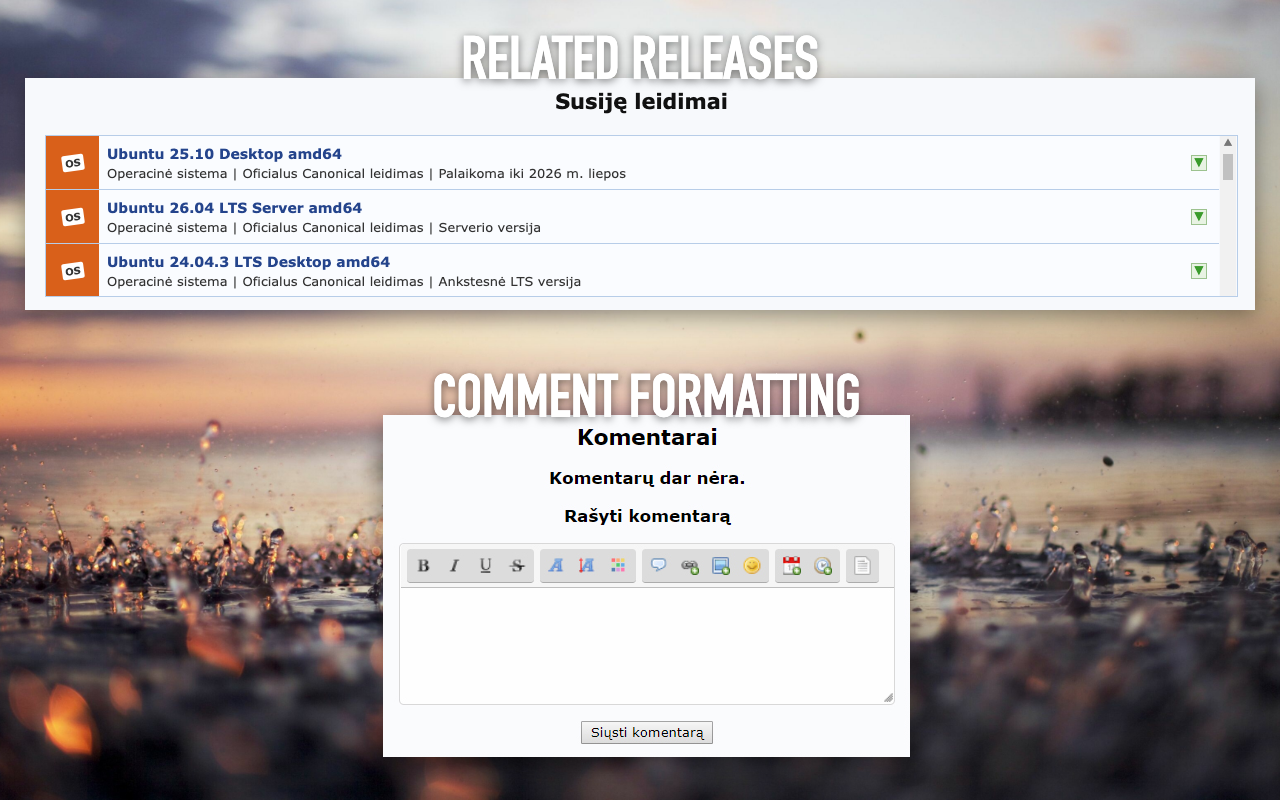
Release pages list related releases, so other versions are one click away, without searching.
A rich-text editor for comments: bold, italic, colours, links, images, quotes and Linkomanija's own smileys, written as BBCode for you.
Chrome and Edge only
A button on every page that takes you back to the top in one click.
Opening Linkomanija's homepage takes you straight to the release list. Off by default.
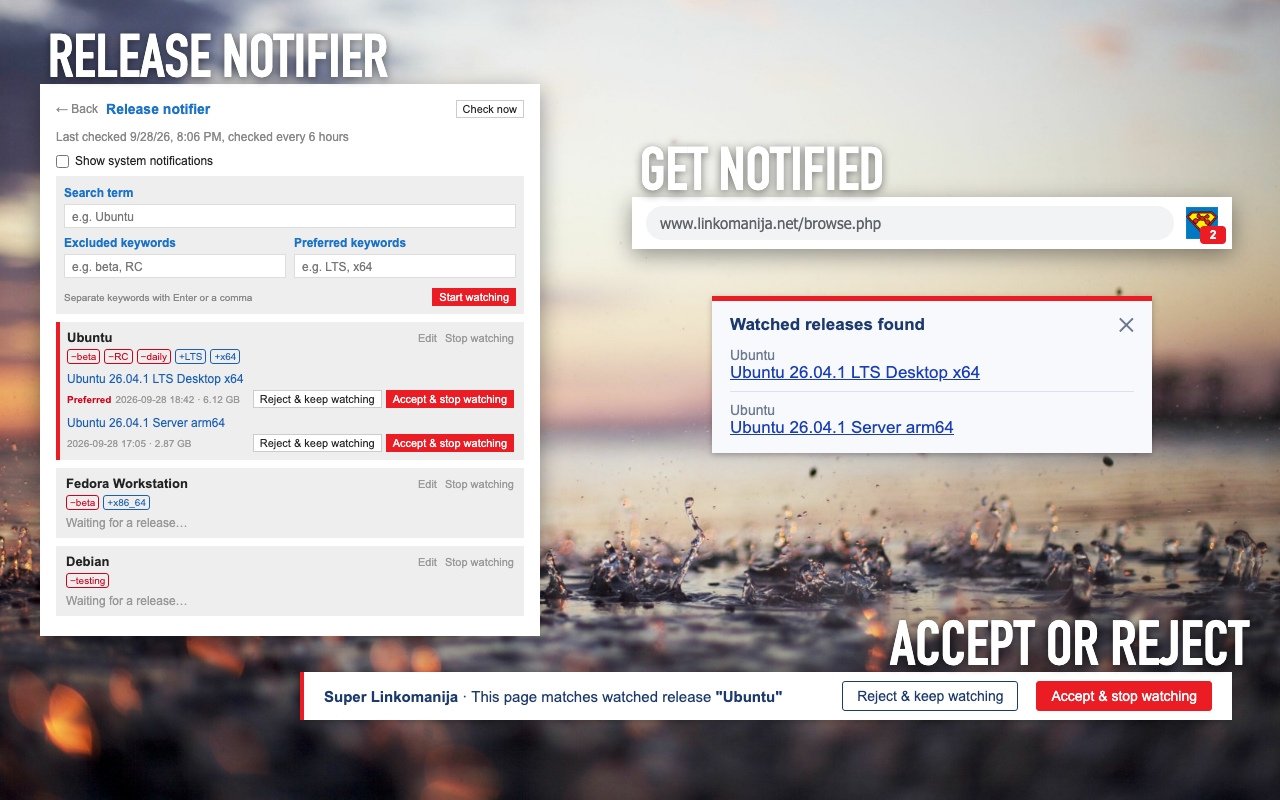
Waiting for a new release? Add a search term, plus keywords to skip (like beta) or prefer (like LTS). The extension checks Linkomanija every 6 hours and tells you when it appears, with a number on the toolbar icon and a notice on the site. Off by default.
Log in once and you're logged in on every browser synced with your browser account. Logging out in one logs out the others. Switch it off if you don't want that.
Linkomanija switches between its light and dark themes with your system, category icons included, without changing your profile. Off by default.
The popup lists your last viewed, downloaded and commented releases, with all-time totals.
Install from your browser's store: one click, and it updates automatically.
Every version is also on GitHub releases. To load it in Chrome or Edge, unzip the Chrome package, open chrome://extensions or edge://extensions, switch on Developer mode and choose Load unpacked. It won't update on its own.
Yes. It's free and open source under the MIT license, with no ads and no paid features.
No. Your settings and history stay in your browser, and there are no analytics or tracking. Nothing is ever sent to the developer. See the privacy policy.
No. It's an independent project and isn't affiliated with Linkomanija.net.
No. You log in to Linkomanija.net as usual, and the extension never sees your password. Auto login only keeps the website's "remember me" login cookie, synced through your own browser account, and deletes it when you log out or switch the feature off.
Chrome, Microsoft Edge and Firefox, plus Opera, Vivaldi and Brave through the Chrome Web Store.
Open an issue on GitHub. Contributions are welcome too.
If Super Linkomanija is useful to you, consider supporting its development.