

Features
Everything you need to keep your 3D models under control
From finding a model to printing it, Thingport covers every step, and it all runs on hardware you own.
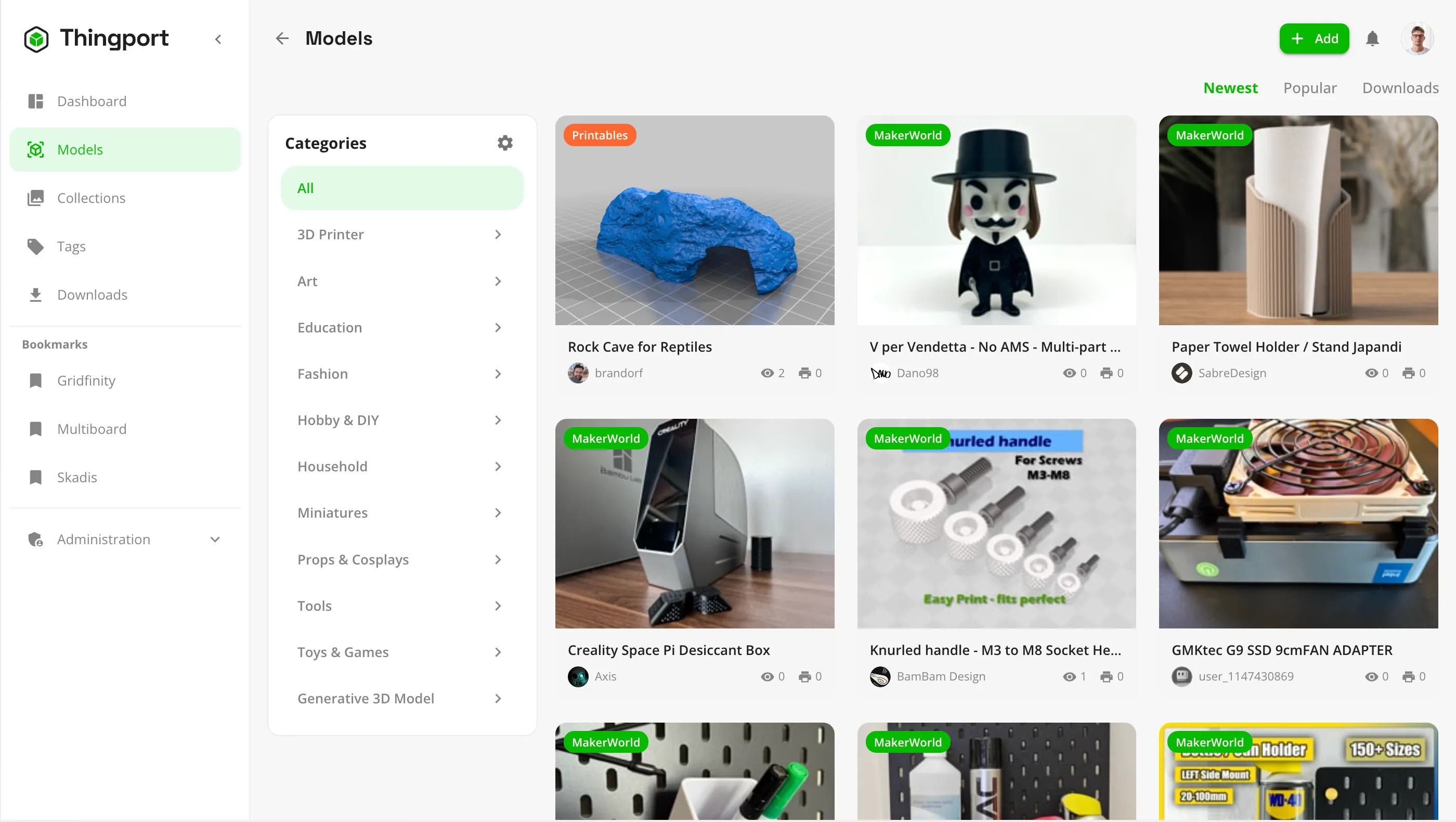
Import from the sites you already use
Thingport keeps a real copy of every model, so it's still there if the original page disappears.
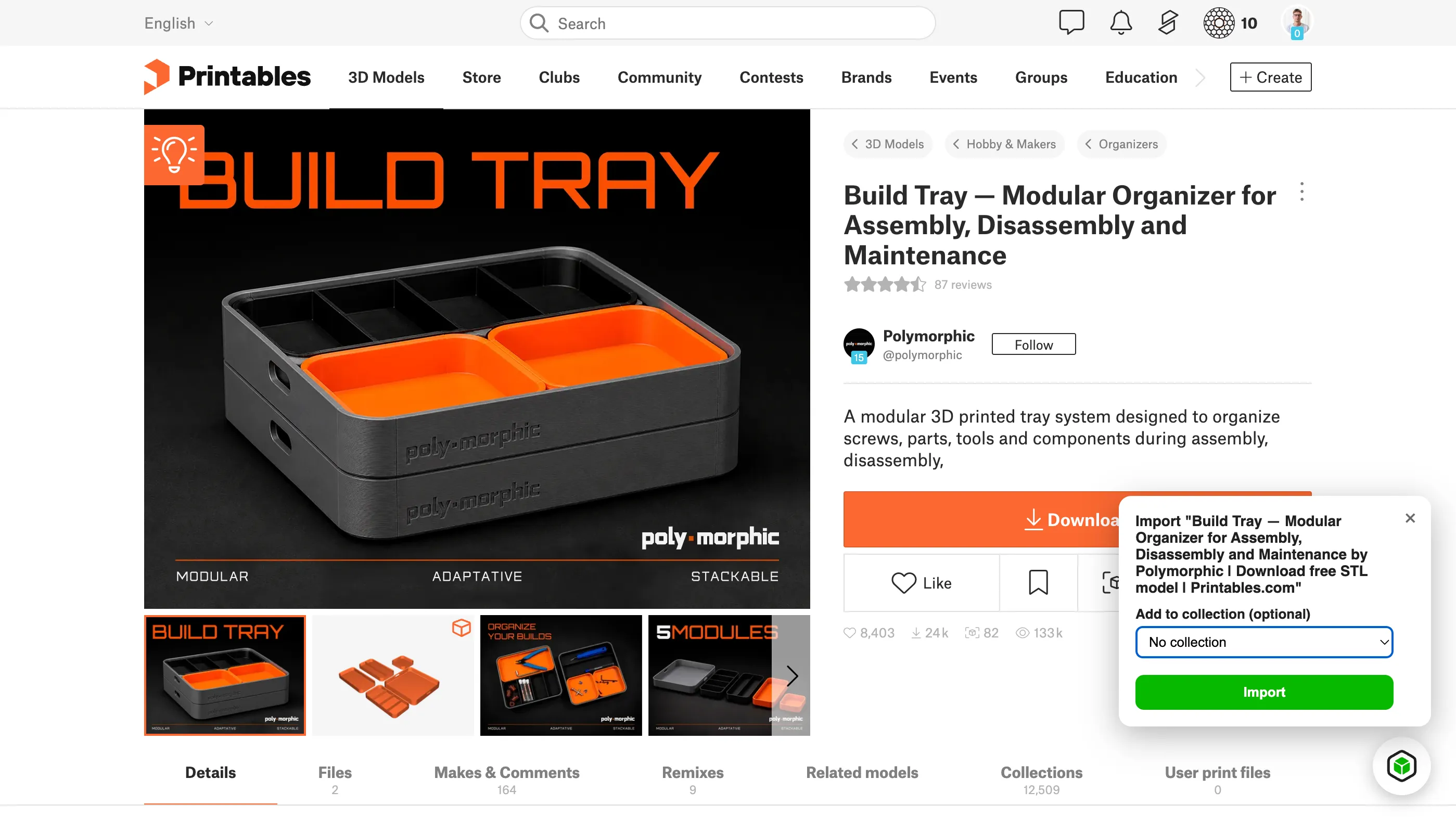
- Paste a MakerWorld, Printables or Thingiverse link, or any direct link to a model file.
- Import whole collections and your likes in one go. Big imports run as background jobs you can follow.
- Title, description, tags, photos, author and source link come with the files.
- Upload your own STL, 3MF, STEP, OBJ and LightBurn files, or a ZIP to pick files from.
- Printables works with no setup. MakerWorld and Thingiverse need a credential from your own account (see provider setup).
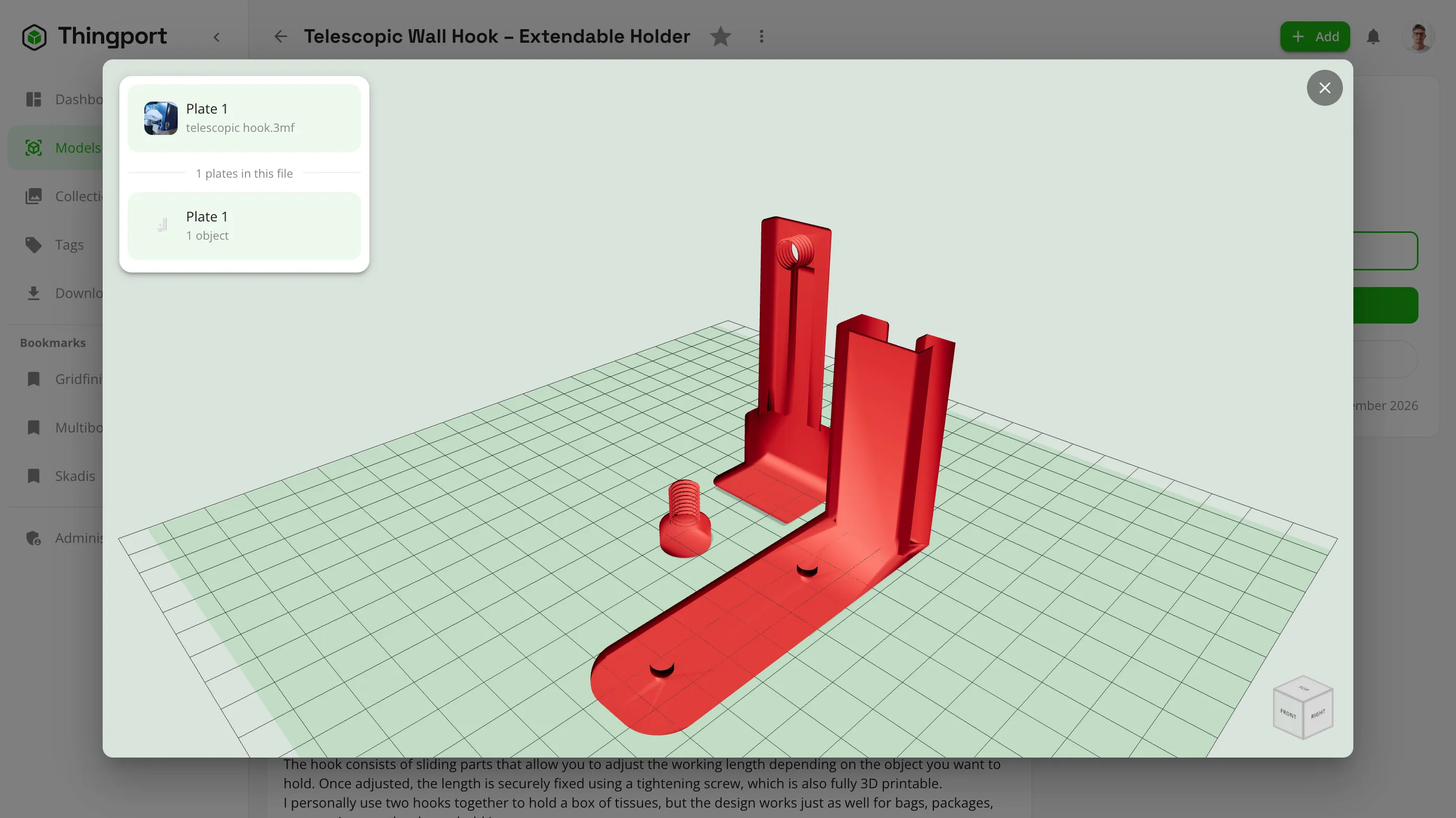
Preview models in 3D
Check what a file actually is before you slice it.
- An interactive 3D viewer for STL, 3MF, OBJ and STEP files, right in the browser.
- Thumbnails for every plate in a multi-plate 3MF project.
- A photo gallery per model, separate from its printable files.
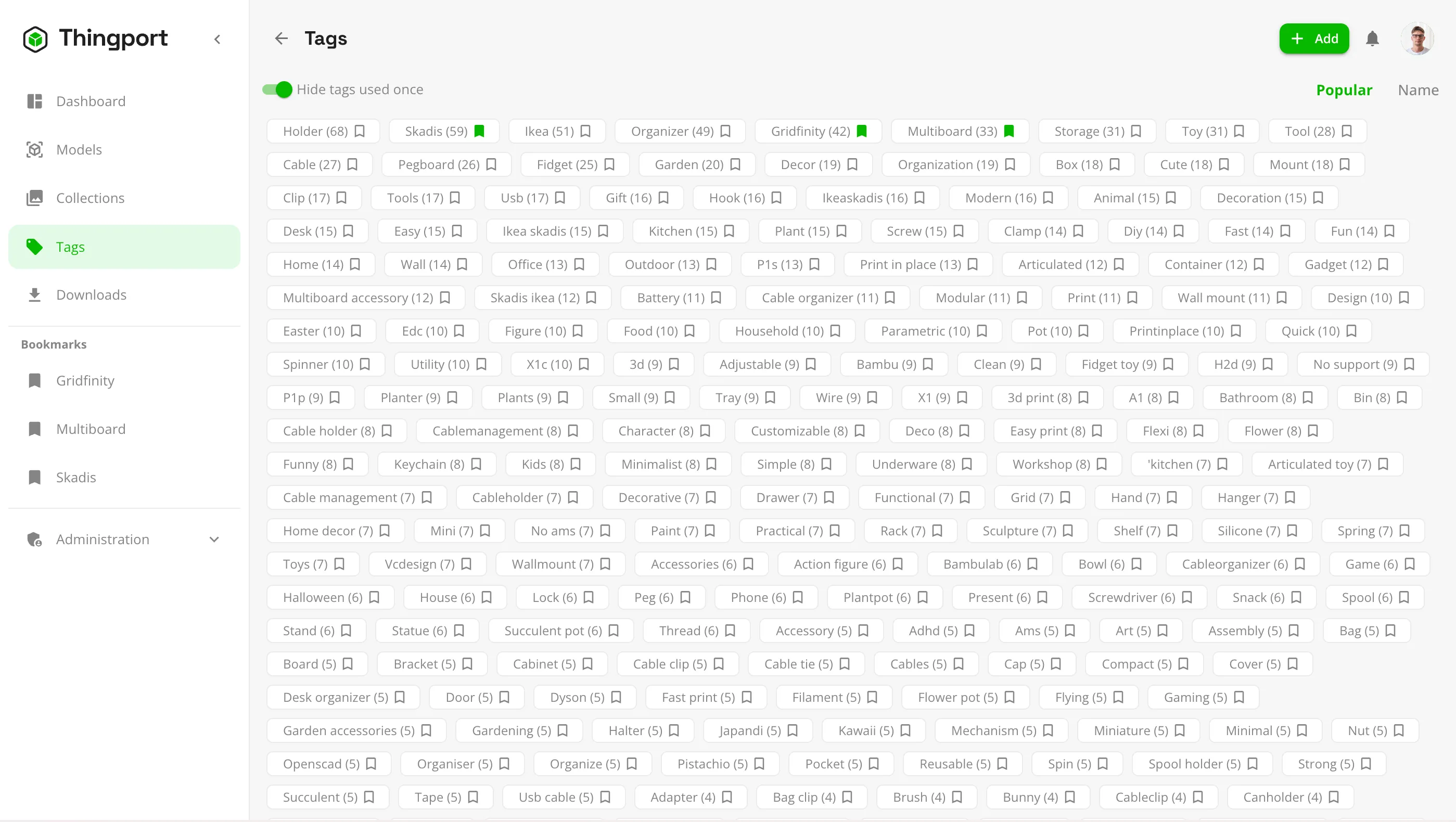
Organize and find anything
However you think about your collection, there's a way to file it.
- Nested categories, collections, tags and favourites.
- Full-text search across model names, tags, notes and authors.
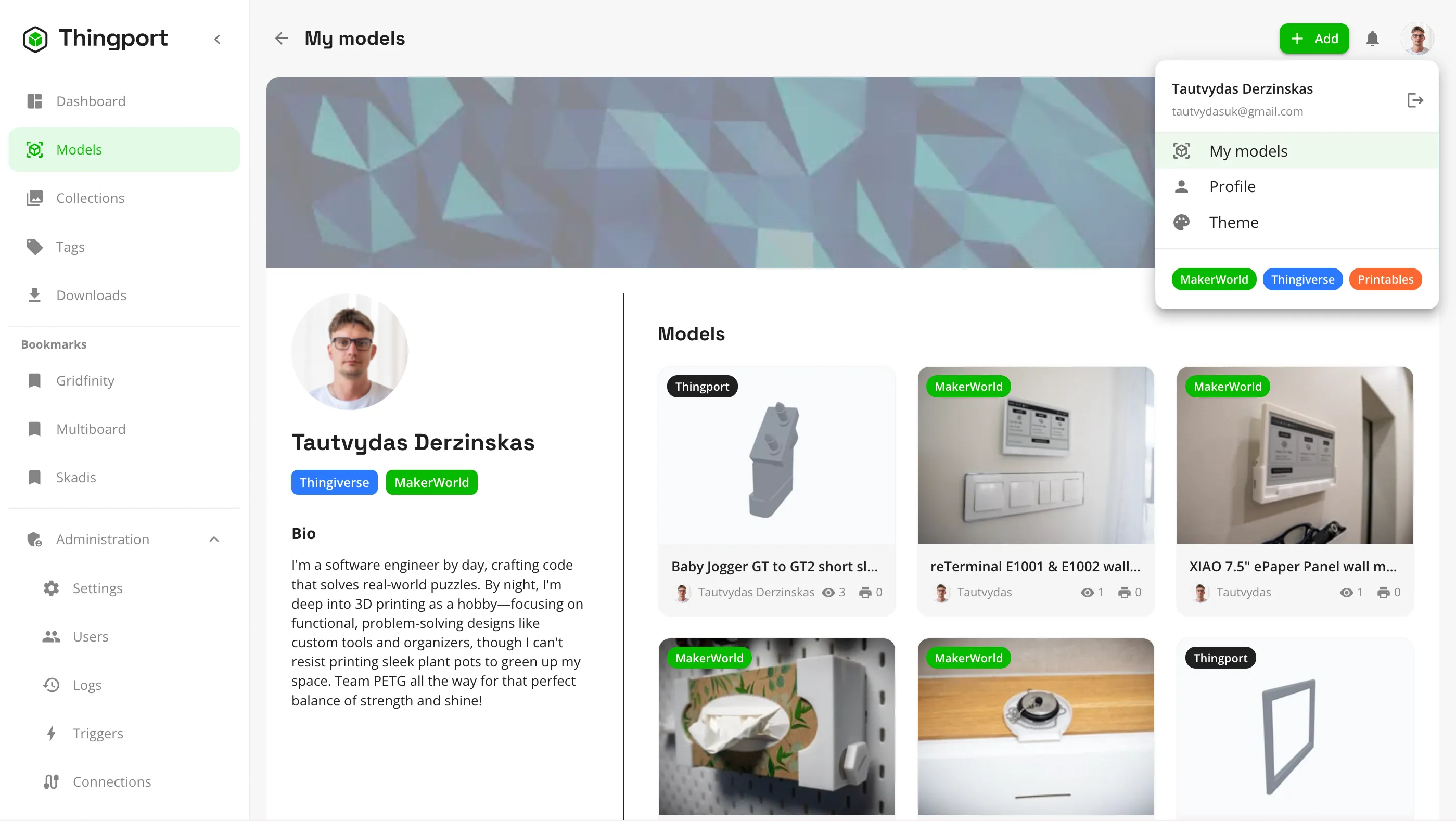
- Author pages with their cover, details and every model of theirs you've saved.
- Link an author to your own account so your own designs show up under My models.
Go from library to printer
Everything you need to print a model lives with the model.
- Attach assembly instructions, notes and other supporting files.
- Keep a sliced, ready-to-print project next to the source files.
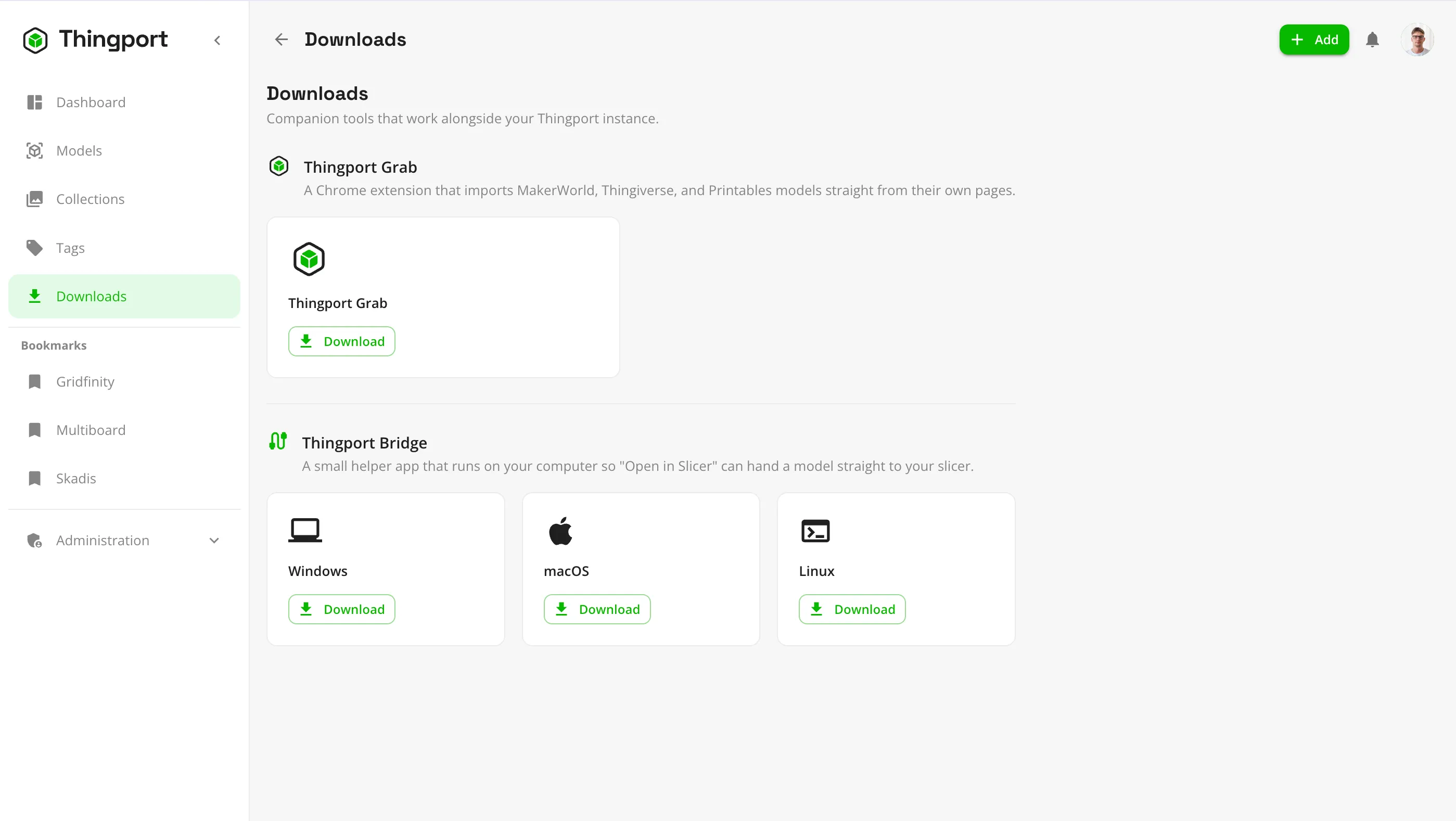
- Open files directly in Bambu Studio, PrusaSlicer or Cura. Thingport Bridge handles the slicers that won't open links from a self-hosted server.
- Download a model's files individually or all together.
Your files stay yours
Thingport stores models as ordinary files on your own disk, not locked inside a database.
- Choose the folder layout, for example category / model / file, and reorganize existing files when you change it.
- Mount folders you already have without copying them.
- See how much disk space each user's models take.
- Back up the storage folder with whatever tool you already use.
Made to share with your household
One server, separate libraries for everyone who prints.
- Multiple user accounts. The first person to sign up becomes the admin.
- Optional email verification over your own SMTP server.
- User management, import logs and an audit trail for admins.
- Light and dark themes, in English and Lithuanian.
Ready to give it a try?
It takes about five minutes on any machine that runs Docker.
Install Thingport