

Your personal 3D model library
Collect, organize and preview the 3D printing models you find on MakerWorld, Printables and Thingiverse, in one library that runs on your own server.
Runs anywhere Docker does, including a NAS. docker compose up -d and you're in.
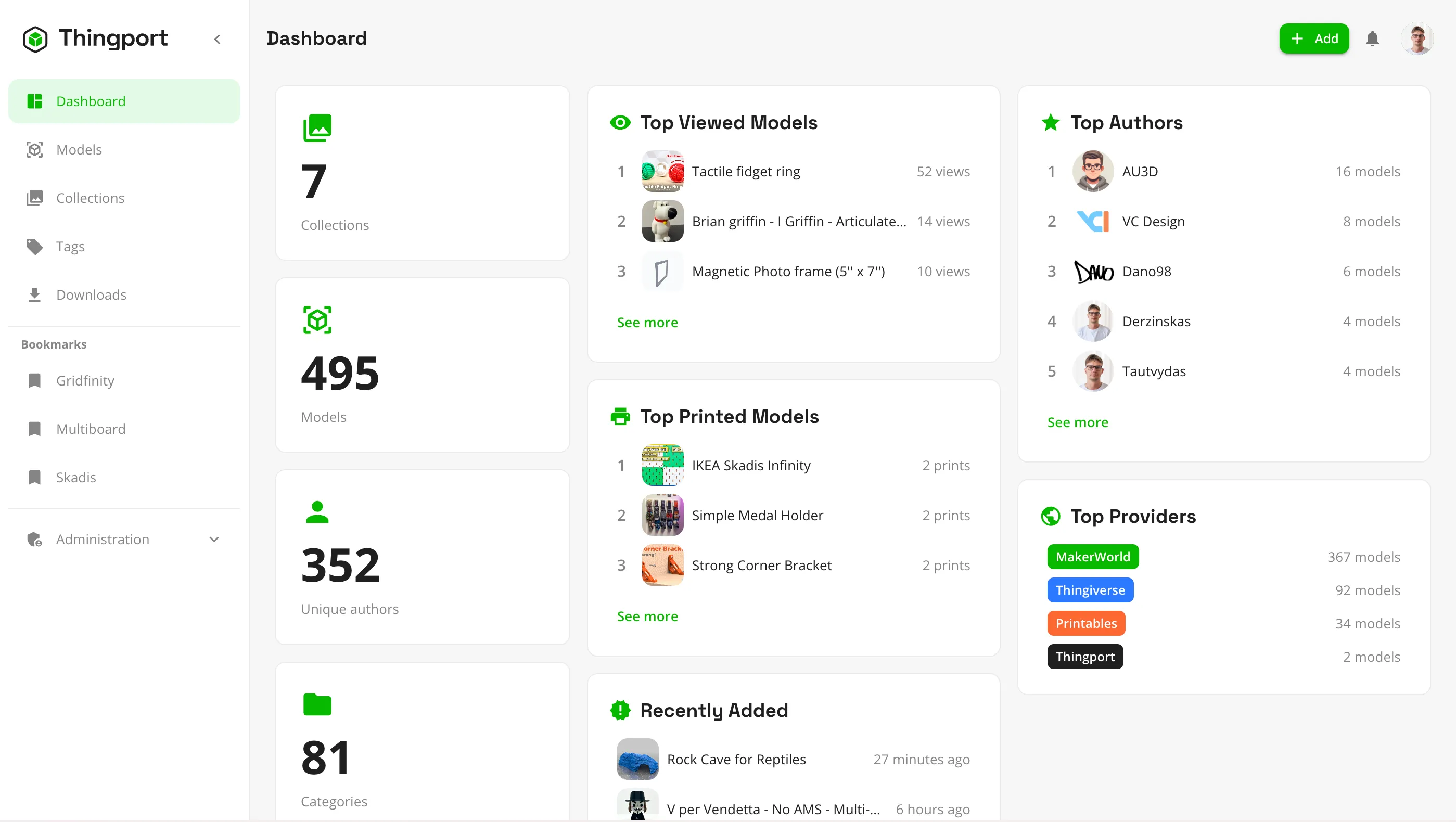
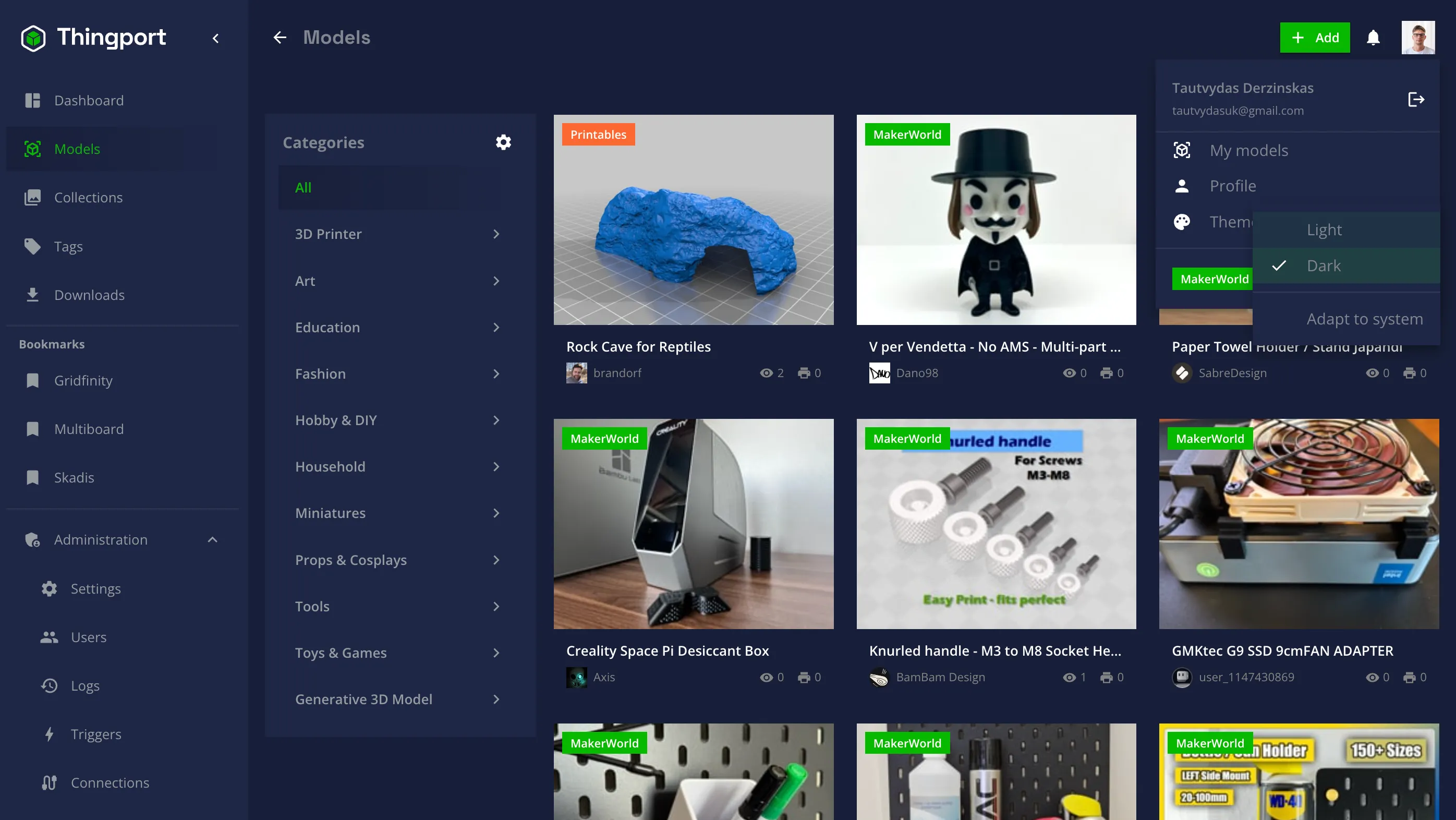
Bookmarks, downloads and random folders, replaced by one library
Models you want to keep end up scattered across sites, browser bookmarks and your Downloads folder. Thingport keeps a real copy of each one, with its files, photos and source link, where you can actually find it again.
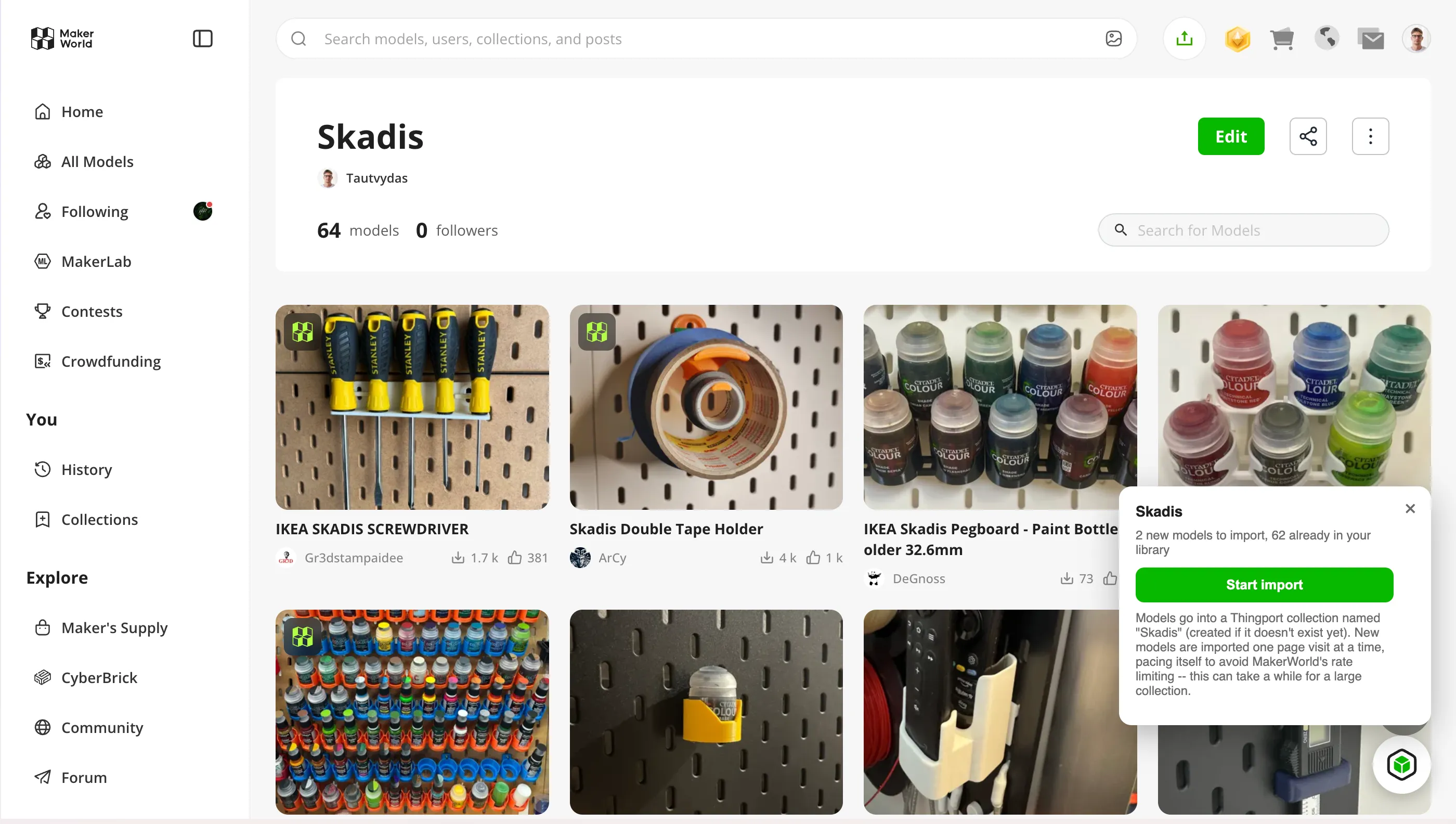
Import from where you find models
Paste a MakerWorld, Printables or Thingiverse link, or bring in whole collections and likes at once. Files, photos, tags, description and author come along.
3D preview in the browser
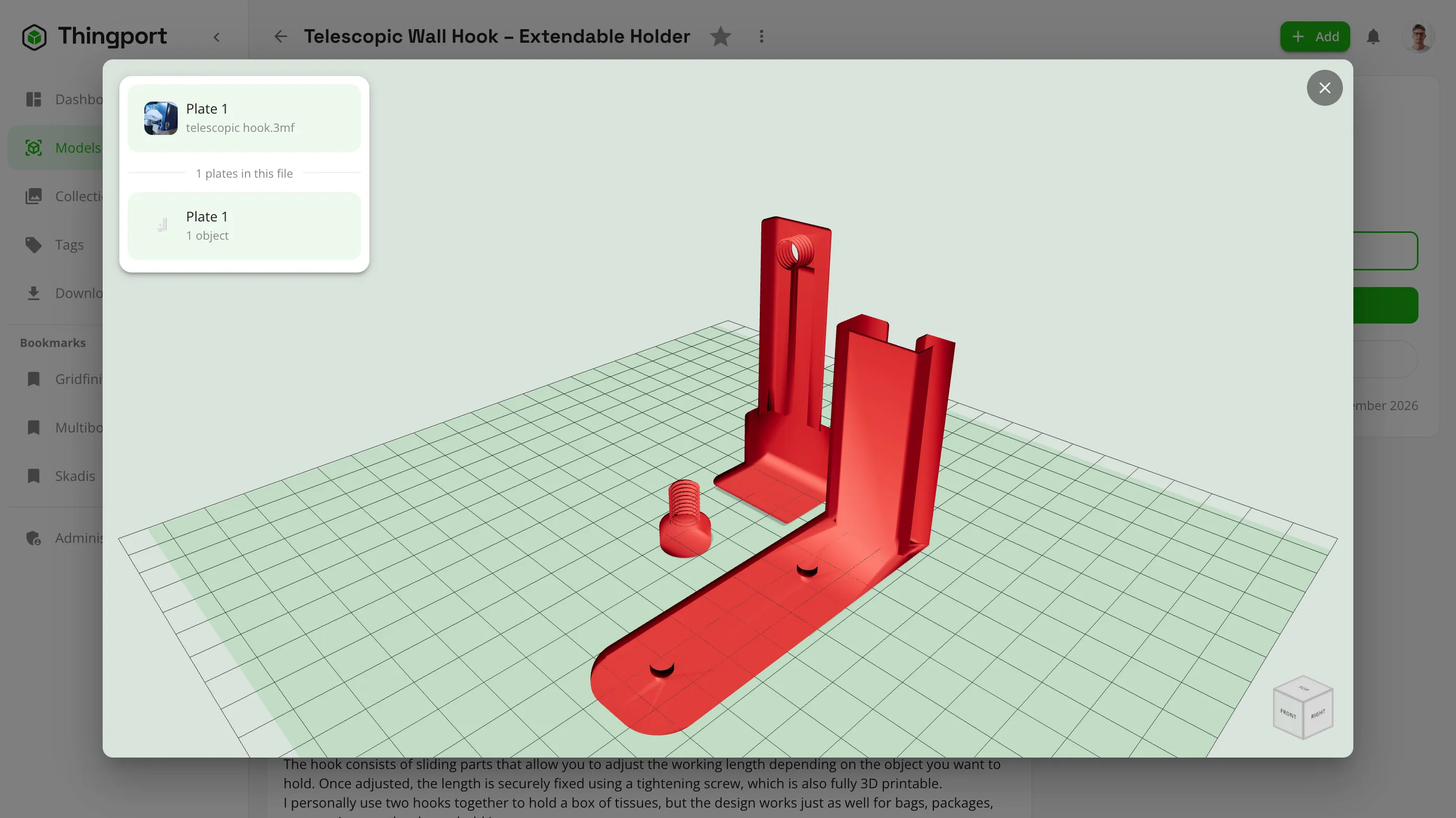
Spin STL, 3MF, STEP and OBJ files without opening a slicer. Multi-plate 3MF projects get a thumbnail for every plate.
Organized your way
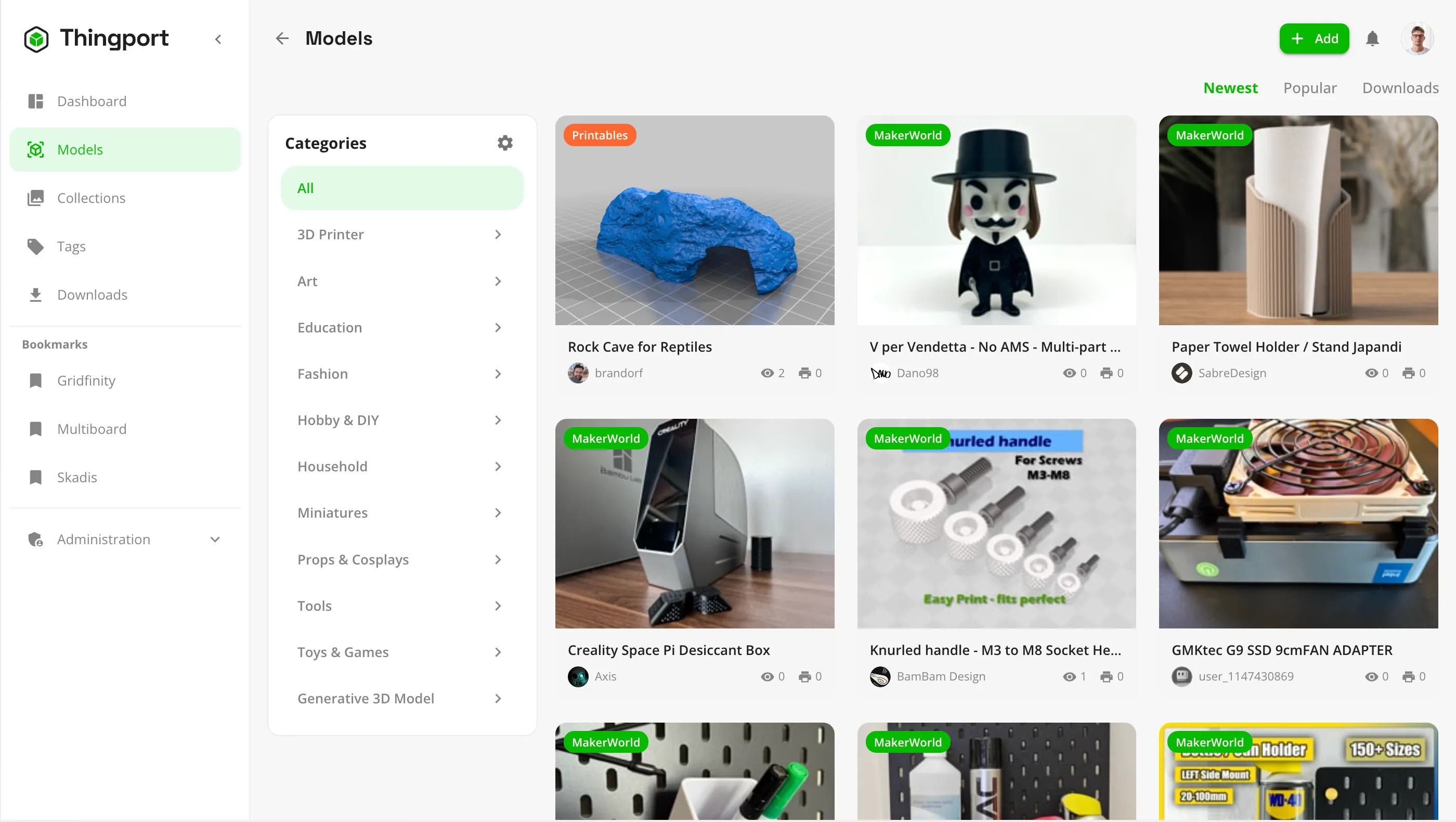
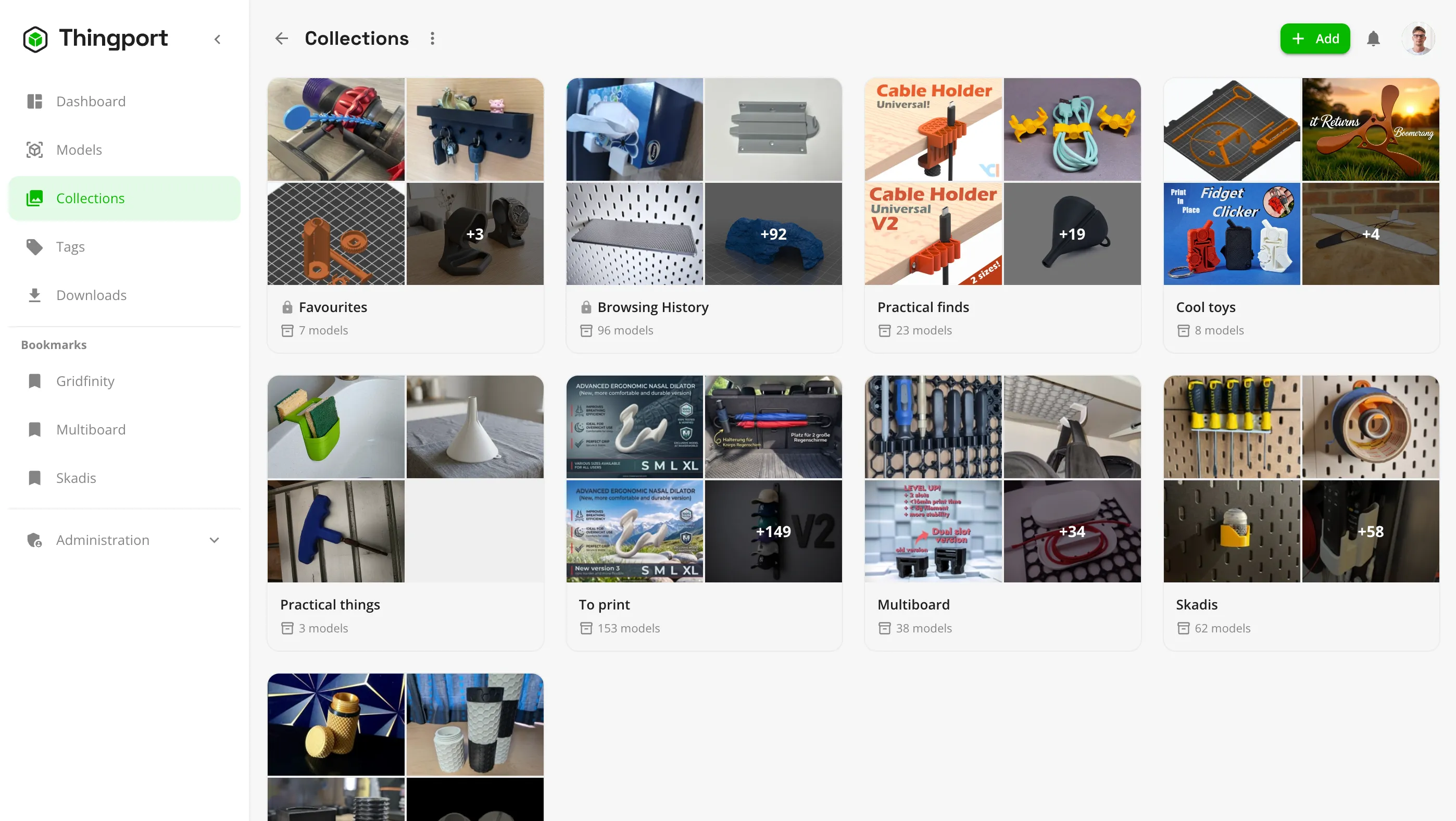
Nested categories, collections, tags and favourites, plus full-text search across everything you've saved.
Ready to print
Keep instructions and sliced prints next to the model, and open files straight in Bambu Studio, PrusaSlicer or Cura.
Your files, on your disk
Models are stored as plain files in a folder layout you choose, not in a black box. Mount existing folders without copying them.
Built for a household
Multiple accounts, an admin panel, audit logs, light and dark themes, and English and Lithuanian out of the box.
See your whole collection at a glance
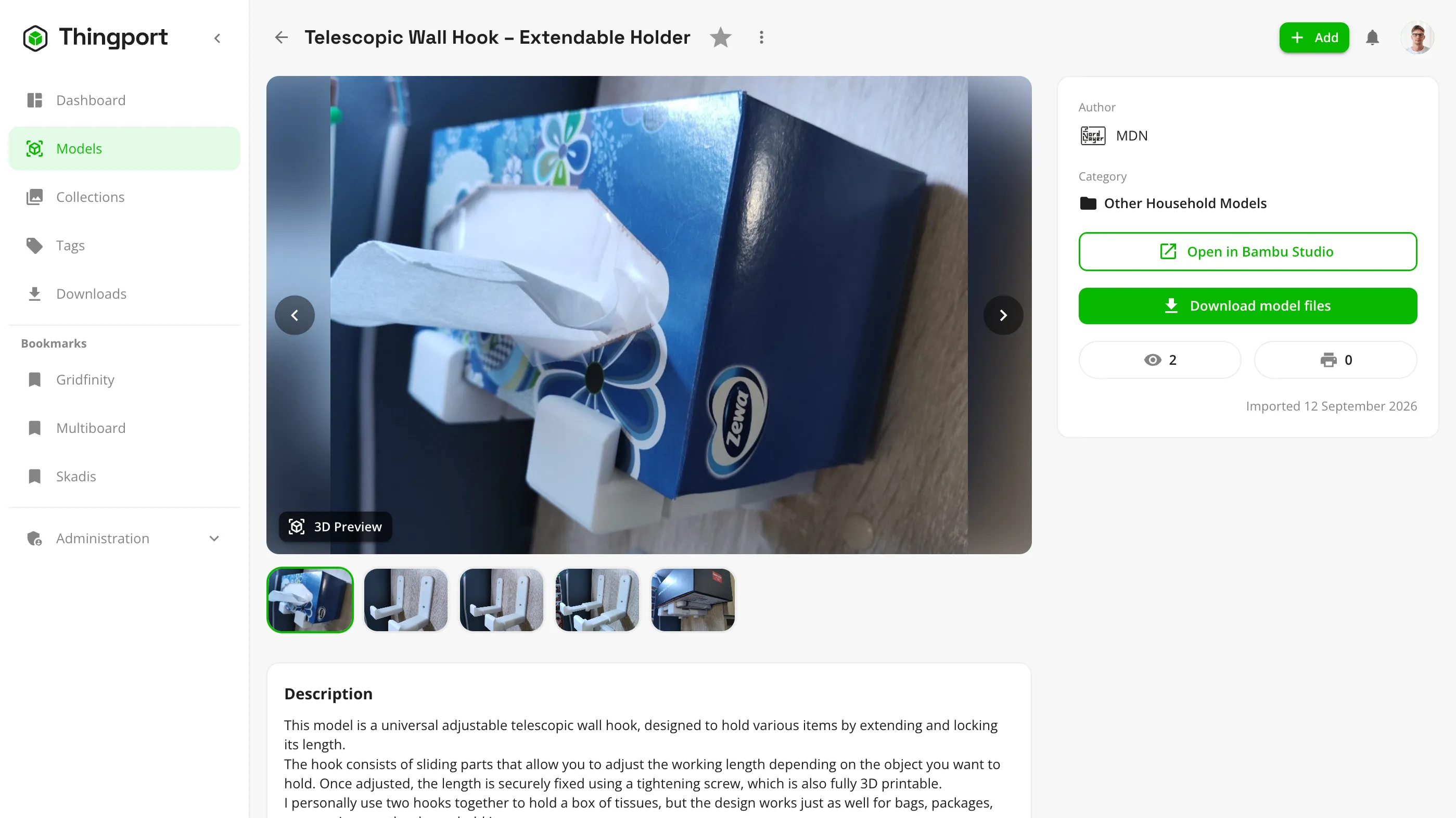
Save a model without leaving the page you found it on
Thingport Grab adds an import button to MakerWorld, Printables and Thingiverse model pages, and picks up your MakerWorld login for you.
Thingport Bridge is a small desktop helper that lets “Open in slicer” launch Bambu Studio, PrusaSlicer or Cura from your own server.
Up and running in three steps
Thingport ships as pre-built Docker images, so there's nothing to compile.
- 1
Grab the compose file
Create a folder with
docker-compose.ymland a.envholding your secrets. - 2
Start it
Run
docker compose up -d. Postgres, the API and the web app all start together. - 3
Sign up
Open Thingport in your browser. The first account you register becomes the admin.
Latest news
Introducing Thingport: a self-hosted home for your 3D models
Why Thingport exists, what it does today, and how to get it running on your own server in a few minutes.
Thingport is free and open source
MIT licensed and built in the open. Star it, report a bug, send a pull request, or help fund development.