
HTML to CSS
Any HTML fragment or full page. Elements that never render, such as
script, style and meta, are skipped.
Paste HTML, JSX / React, Vue, Twig or any other template markup and get ready-to-fill CSS,
SCSS, Sass or LESS selectors, nested to match your markup, with BEM folded into
&__element and &--modifier. Going the other way? Press
the switch button between the boxes to turn CSS, SCSS or LESS into an
HTML or JSX skeleton. Everything runs in your browser.
Plain HTML, a React / Next.js component, a Vue single-file component template or a Twig, Jinja or Handlebars block. Template syntax is stripped for you.
CSS gives flat descendant selectors. SCSS / Sass and LESS give nested rules that mirror the HTML tree.
Every class, id and tag becomes an empty rule, links and buttons get
:hover, :active and :focus stubs, and duplicate
siblings are merged. Copy the result into your stylesheet.
CSS to HTML works the same way in reverse: paste CSS, SCSS or LESS, choose HTML or JSX, and get the element tree its selectors describe, with nesting, classes, ids and attributes. Only tags written in the selectors are used unless you turn on Guess tag names.
Any HTML fragment or full page. Elements that never render, such as
script, style and meta, are skipped.
className strings, CSS modules (styles.card), template
literals and clsx / classnames calls in
.jsx and .tsx files. Components never become selectors.
Paste a whole <template>: the wrapper is dropped, and
{{ … }} interpolations and bound attributes are ignored.
{% … %} statements, {# … #} comments and
{{ … }} expressions are removed. Classes inside
{% if %} blocks are kept.
Shopify Liquid templates and Handlebars / Mustache block helpers such as
{{#each}} and {{#if}} are handled the same way.
The reverse direction reads nested rules, BEM
&__element / &--modifier, ids and attribute
selectors, and writes the HTML or JSX skeleton they describe. LESS mixins, variables
and SCSS placeholders are skipped.
block__element and block--modifier classes are nested as
&__element and &--modifier, so the generated SCSS
compiles back to the class names in your markup.
This page runs the same converter as the HTML to CSS / LESS / SCSS extension for Visual Studio Code, with four ways to use it:
.css,
.scss, .sass or .less file and press
Ctrl+Alt+V (Cmd+Alt+V
on macOS). The output matches the file type.
<style> block.
.jsx, .tsx) get JSX with className.
Menu entries only appear when the selection or clipboard holds convertible markup, and every option in the sidebar is also an extension setting.
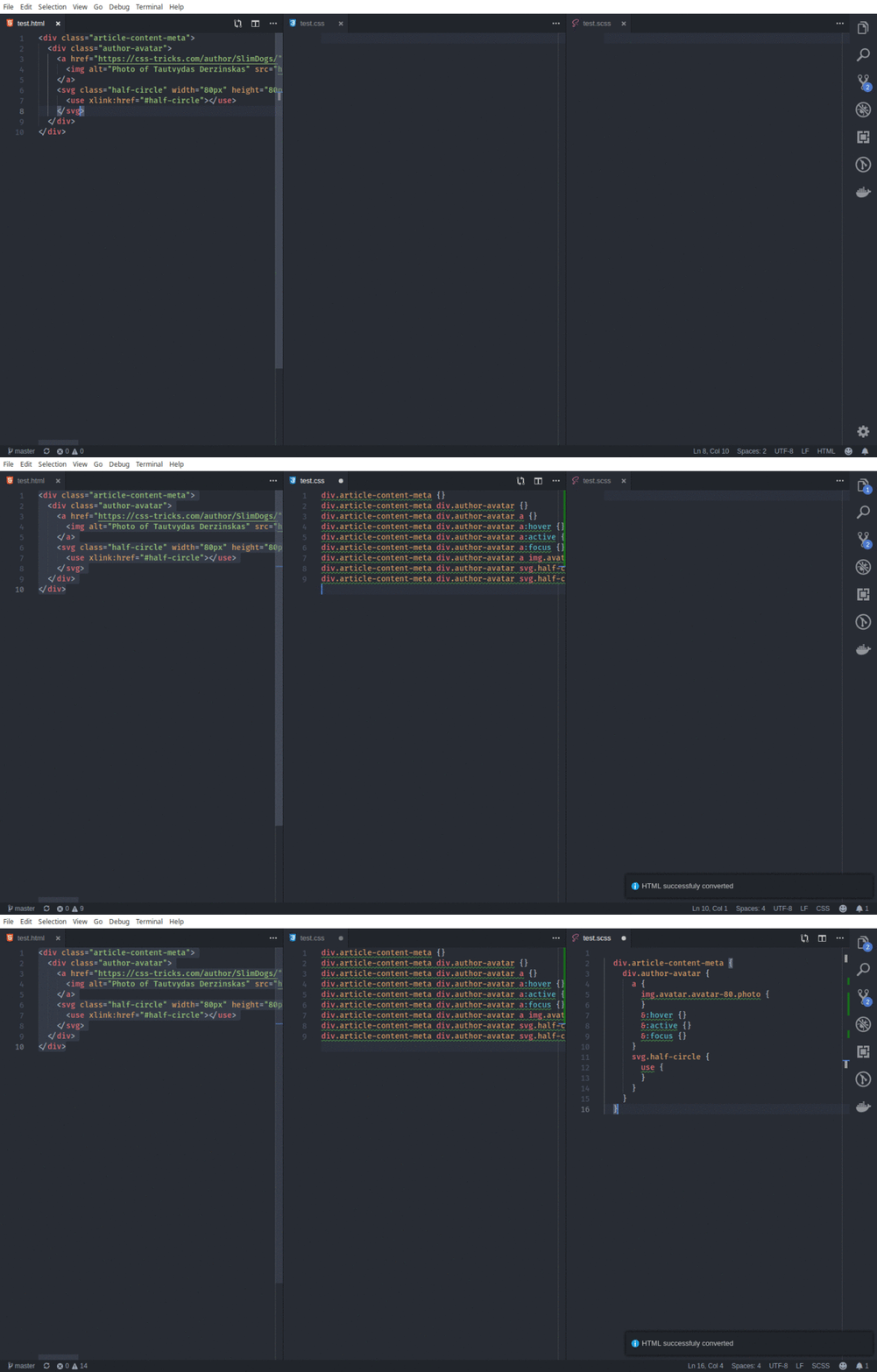
Paste your HTML into the input box, pick CSS, SCSS or LESS as the output format and press Convert. Every class, id and tag in the markup becomes an empty rule, nested to match the HTML structure.
Yes. className, CSS-modules lookups such as styles.card,
template literals and clsx / classnames calls are all
understood. Component tags, event handlers and inline styles are ignored. A ternary
keeps only its first branch, and class names that are only known at runtime are
dropped rather than guessed.
Yes. Template tags, comments and expressions are stripped before the markup is read.
Classes written inside {% if %} blocks are kept; classes built from an
expression, like card--{{ type }}, are dropped because their value is
only known at render time.
Yes. In SCSS and LESS output, BEM elements and modifiers are folded into
&__element and &--modifier selectors. Turn off
Convert BEM in the sidebar to keep full class names.
SCSS and LESS share the same nested syntax for selectors, so the output works in
.scss, .less and Sass projects using SCSS syntax. CSS output
uses flat descendant selectors instead of nesting.
Yes. The same converter is available as the HTML to CSS / LESS / SCSS extension for Visual Studio Code, on the VS Code Marketplace and Open VSX. Copy markup and press Ctrl+Alt+V (Cmd+Alt+V on macOS) in a stylesheet, paste it as CSS or nested SCSS / LESS into any file from the context menu, or select markup and use Copy as CSS Selectors or Copy as Nested SCSS / LESS Selectors. In the other direction, Copy as HTML and Paste as HTML turn CSS, SCSS or LESS into HTML, or JSX in React files.
Yes. Press the switch button between the two boxes, or open
CSS to HTML directly. Nested rules become nested elements,
BEM elements (&__title) become children and modifiers
(&--featured) become extra classes, and ids and attribute selectors
are kept. Tags come from the selectors; anything without one becomes a
div, unless you turn on Guess tag names. The output can be HTML
or JSX with className.
No. The conversion runs entirely in your browser. Nothing you paste is sent to a server.